How to make a QR code menu your guests will actually use
A practical guide to digital menus for restaurants, cafés and bars, from where to place the code and how big to print it to writing a menu that reads well on a phone and keeping prices right.

Edema Ukabi, ToolkitDeck Team
· 5 min read
Key points
- Place the code where guests look while they wait: on every table, not only at the door.
- Print it at least 3 to 5 cm across for a table, with a clear border, and test it from a seat before printing many.
- Add one line next to the code, such as 'Scan for today's menu and prices'.
- Write for a small screen: short sections, name and price first, small photos.
- A digital menu is only useful if it is right. Mark dishes sold out the moment they run out.
- Keep a few printed copies for guests who would rather not use their phone.
A QR code menu saves you reprinting every time a price changes, and it lets you mark a dish sold out in seconds. But a code that nobody scans saves you nothing, and a digital menu that is out of date annoys guests more than a paper one.
The difference comes down to a handful of decisions: where the code goes, how big it is, how the menu reads on a phone and who keeps it up to date. This guide walks through each one.
Why switch to a QR code menu?
A digital menu shows the same, current information on every phone. When you change it, it changes everywhere at once. That means:
No reprinting when a supplier puts prices up.
Sold-out dishes disappear instead of being ordered and then apologised for.
Room for more: a photo of each dish, which ones are spicy or vegetarian, today's specials.
Guests can look before they arrive, if you share the same menu link online.
Where should the QR code go?
Put the code where guests look while they wait to order:
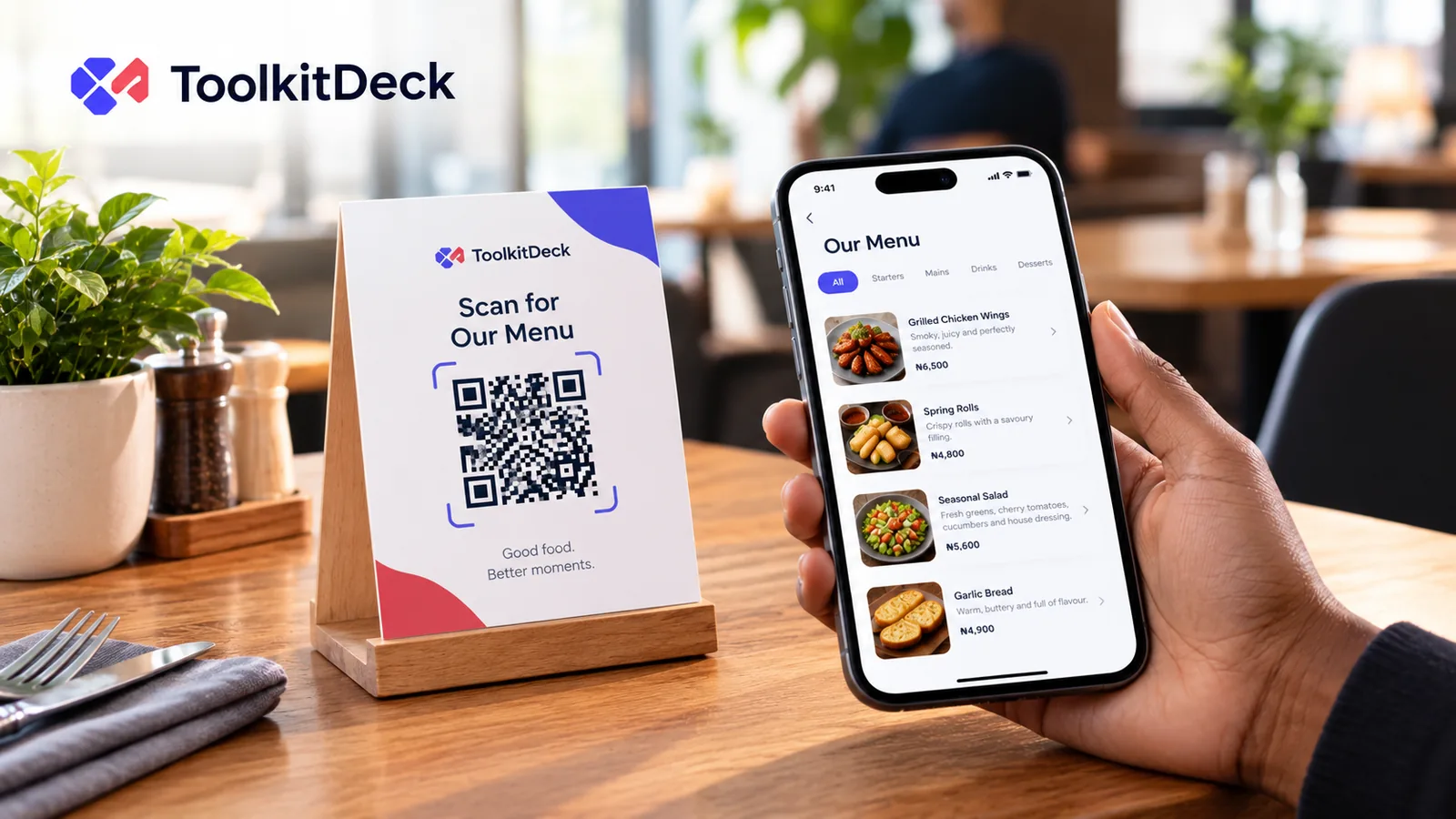
On every table, on a small stand, a card or a sticker. This is the code that gets scanned most.
At the counter, if guests order there.
In the window or by the door, so people walking past can see your menu before they come in.
On your social media and Google listing, as the plain menu link.
Next to each code, add one short line saying what it is: "Scan for our menu and today's prices". People scan more readily when they know what they will get.
How big should a QR code be?
For a code on a table, print it at least 3 to 5 cm across, with a clear white border around it. A useful rule of thumb is that a code can be scanned from about ten times its width, so a 4 cm code works from about 40 cm away, which is roughly a phone held over a table.
Go bigger when the code has to be read from further away:
Where it is | Scanned from | Size to print |
|---|---|---|
Table card or sticker | 30 to 50 cm | 3 to 5 cm |
Counter stand | about 1 m | about 10 cm |
Window or door poster | 2 m | 20 cm or more |
How do you write a menu that works on a phone?
Write for someone reading on a small screen, possibly in a dim room, possibly with a weak signal.
Group dishes into short sections: starters, mains, sides, drinks, desserts. A section of forty items is hard to scroll.
Put the name and the price first. A one-line description is enough for most dishes.
Mark what helps people choose: vegetarian, spicy, contains nuts, house favourite.
Use photos where they sell. A photo helps with a dish people don't know. It isn't needed for a bottle of water.
Keep photos small. Many guests open the menu on mobile data. A menu still loading after ten seconds gets closed.
Descriptions that help guests order
Compare these two lines:
"Chicken, rice, sauce"
"Grilled chicken thigh with jollof rice and our pepper sauce (spicy)"
The second answers the questions a guest would otherwise ask the server: how it is cooked, what comes with it and whether it is hot.
How do you keep a digital menu up to date?
A digital menu that is wrong throws away its main advantage. Make it one named person's job, every shift, to:
Mark dishes sold out the moment they run out, and back in when they return.
Change prices the day they change, not at the end of the month.
Add the dish of the day each morning.
If an update takes a few seconds on a phone, it actually happens.
Should you keep printed menus?
Yes, a few. Some guests would rather not use their phone, some phones are flat by evening, and some guests simply prefer paper. Keep two or three printed menus behind the counter. You still save money, because you are printing a handful instead of one for every seat.
Can guests order from the menu?
They can, if you set it up. Some menus let guests choose dishes and send the order, with their table number, to the restaurant. If you do this, be clear about payment. Many places keep taking payment the way they already do, at the table or at the counter, so nothing about how money is handled has to change.
Common questions
Do guests need an app to scan a QR code?
No. Almost every phone camera reads QR codes on its own. The menu opens in the phone's browser.
Will the QR code stop working if I change my menu?
It shouldn't. Use a menu service where the code points to your menu's address rather than to a fixed file. You can then change the menu as often as you like and the printed code keeps working.
What if the Wi-Fi or signal is weak?
Keep the menu light: small photos and short text. A well-built menu loads on a weak mobile signal. Offering guest Wi-Fi, with the password next to the code, also helps.
How many QR codes do I need?
One per table is ideal, plus one at the counter and one at the door. They can all point to the same menu, or each table's code can carry its table number if guests order from the menu.
Can I have separate menus for food and drinks?
Yes. Either use sections within one menu, or keep separate menus for drinks, room service or a second branch, each with its own code.
Set up your QR menu
With ToolkitDeck's QR menu you can paste your existing menu as text to get started, add photos that are made small automatically, mark dishes sold out with one tap and print table cards with your code. If you like, guests can send their order, with their table, to your WhatsApp. One menu is free, and the code never stops working.
Taking table reservations too? Read how to set up online booking with fewer no-shows.